AI · zAI and any MCP agent
Every AI change, checked before it becomes code
zAI and any MCP agent change the Intended Design of your application, and every change is checked before any code is produced. The finished application is agent-ready too: every service can become an MCP tool.
Element types and their relationships
Every relationship is typed.
The difference, in one picture
An AI can assemble your architecture. Or you can give it, checked.
Good agents already use memory, skills and instruction files to find their way. Same request in both panels: add an approval step.
Context is assembled
A rule nobody wrote down is broken, and nothing checks it
Context is given
The change is checked against the whole Intended Design
Memory, skills and instructions help. They carry what someone remembered to write down, and they are advice: an LLM can ignore them, and they go stale. A checked Intended Design is different in kind. It describes the whole system, it is checked mechanically, and the code is produced from it, so there is one source to keep in line. Structure is checked; behaviour still needs tests.
zAI at work
It reads the application, before it answers
This is zAI in Studio, asked to summarise the operations of a business object. Look at how it goes about it.
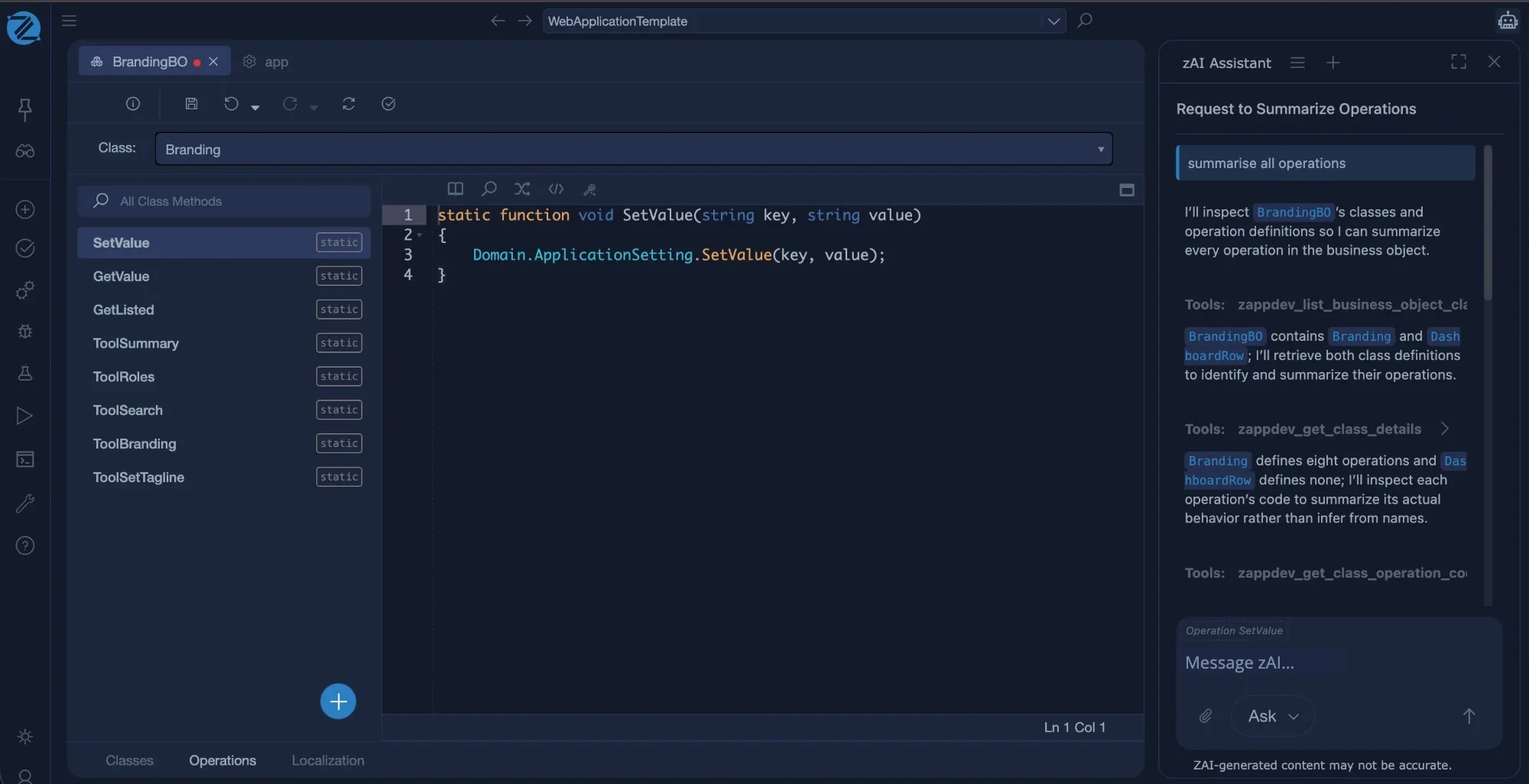
It reads the Intended Design, through tools
zAI calls the same tools any MCP agent can use, such as listing the classes of a business object and getting their details.
It looks at the real definitions
It retrieves the class and operation definitions, not a guess about what they probably contain.
It reads the actual code
To summarise an operation, it inspects the code itself, rather than inferring from names.
A real session in Studio on the Web application template. zAI-generated content may not be accurate, so changes are reviewed.
Open to any agent
Every application comes with its own MCP server
You do not have to use zAI. Whichever agent your team prefers can read, change, validate and build the same checked Intended Design, under the same checks.
Any MCP client
MCP server
Intended Design
The engine
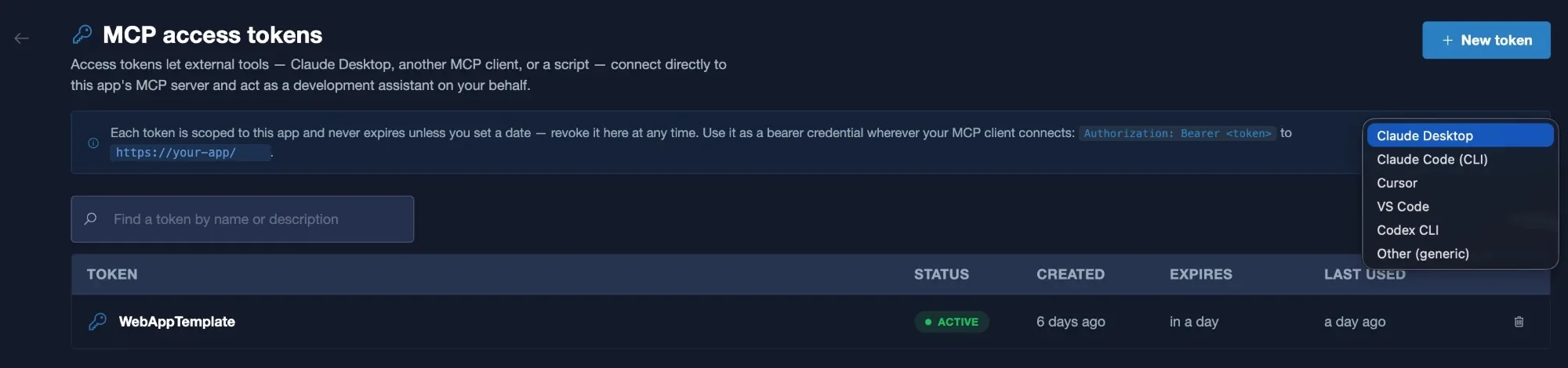
An MCP server for every application
Each application has its own MCP server, so any agent can work on it with the same tools that zAI uses.
Connect the agent you already use
Create an access token, then connect clients such as Claude Desktop, Claude Code, Cursor, VS Code or Codex CLI, or any other MCP client.
Scoped, and revocable
Each token is scoped to one application, can carry an expiry date, and can be revoked at any time.
Agent names are trademarks of their owners and are listed as clients that can connect.
The self-correction loop
Wrong answers fail early and clearly
When the AI proposes something the graph cannot support, validation says exactly what is wrong. The AI reads the message and fixes it, before anything is built. Structural mistakes are caught before the build, not in a failed release.
Illustrative validation loop.
Agent-ready output
Your services become tools agents can call
A service of type MCP exposes each of its operations as an MCP tool, registered automatically in the application’s MCP server. An agent can call your own business logic, not only edit the Intended Design.
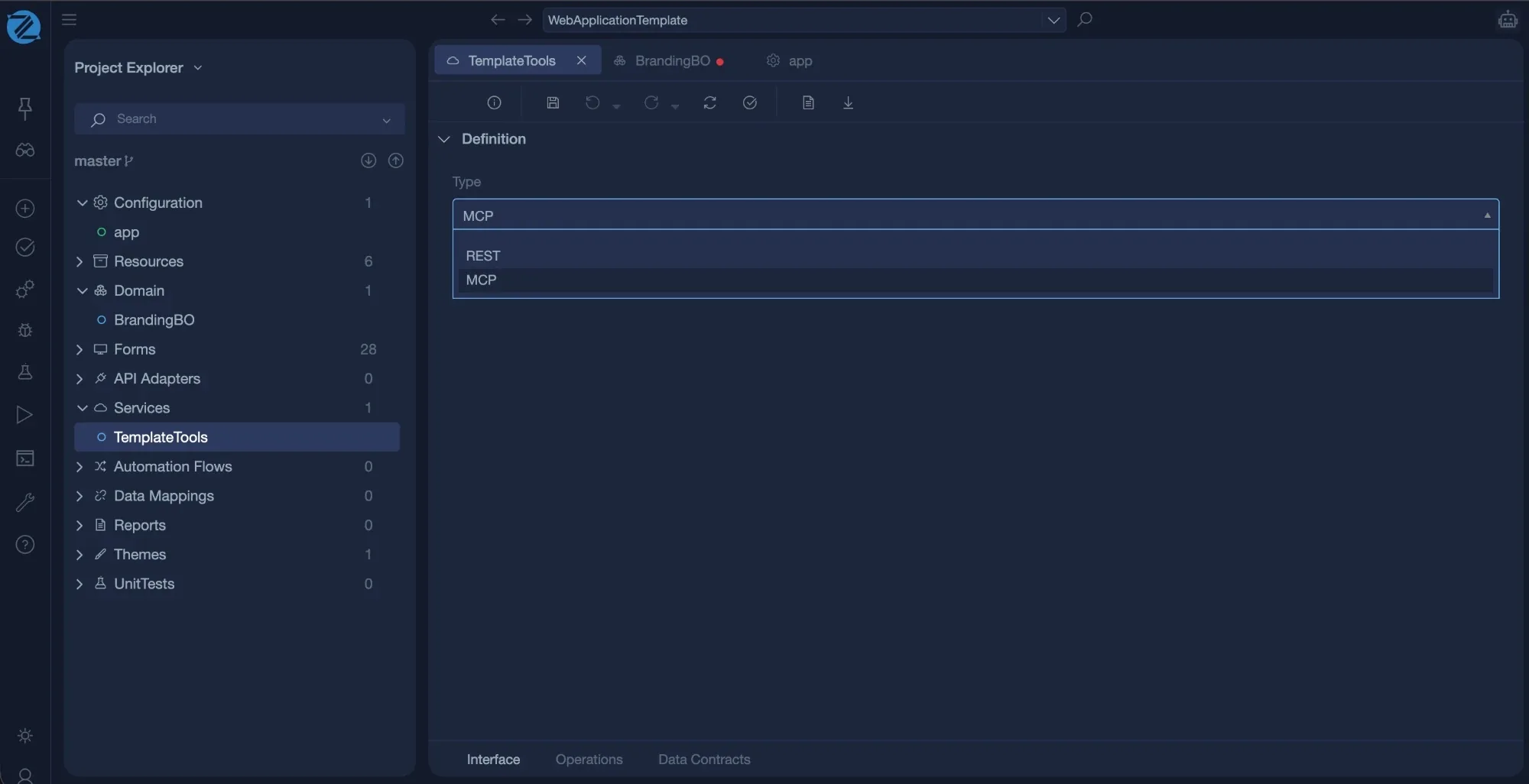
Choose the type
A service is either REST or MCP. Choose MCP for the tools you want agents to call.
Operations become tools
Each operation you write, in the language, is exposed as a tool call.
Registered automatically
No wiring: the tools appear in the application’s own MCP server, which is produced for you.
Give your AI something to reason about
Create a free account and let zAI work on a real Intended Design of your application.
Create free account Read the documentation